
Most of us while optimizing the keywords for a YouTube video tend to directly go to a third-party tool, pay for a subscription and then blame it for the video not doing well. I think that before we lean on to any tools, it is important to understand how well we can optimize the keywords with everything available to us directly. Here are some very important tools that one can use right away.
1. YouTube Search
There is no better way to do your keyword research that YouTube itself. So, follow these simple steps:
Incognito
Open a browser window in Incognito mode and open YouTube. Just to ensure that you are logged- out and the watch history is not playing spoilsport.
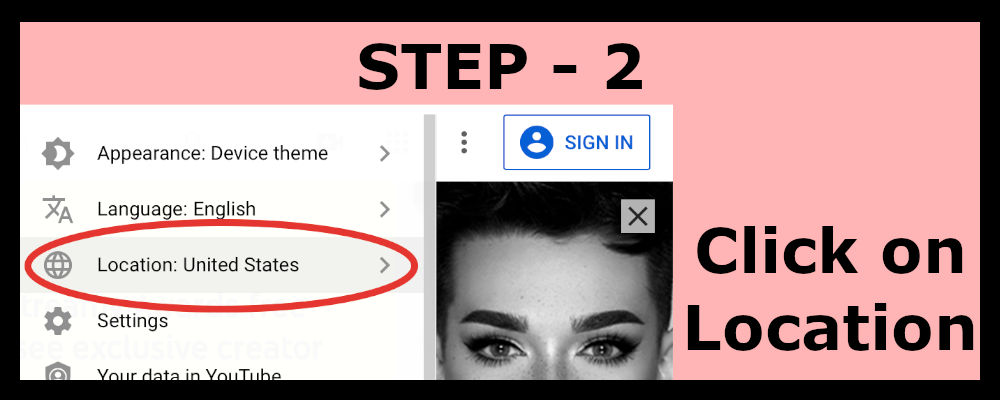
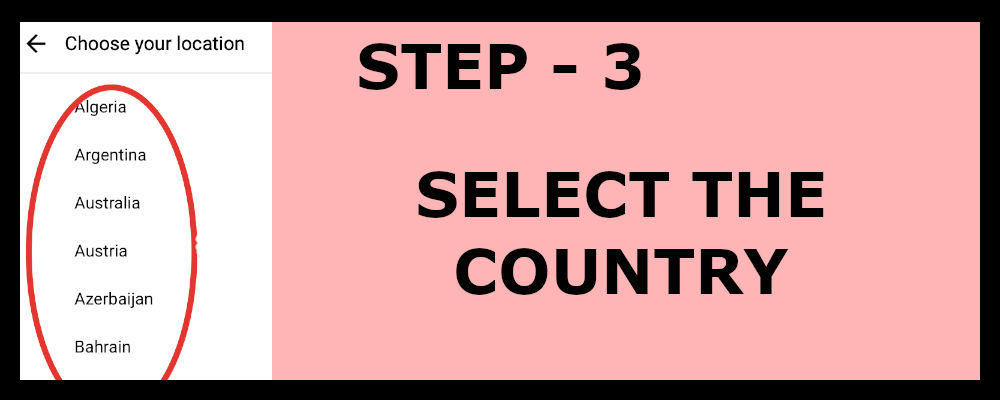
Change Location
Change the target country if you want to or else by default your country will be selected. You might want to change this if you have RPM and geography targets.
Steps to change Location

Search
Type your search term; at-least 2-3 words in the search bar and you will see the suggestions appearing. You can take a snapshot or type them into a spreadsheet. Make sure that you include only those keywords that are relevant to your video.
Change & Repeat
Repeat the exercise by changing the order of the words that you used in previous step.
2. Google Search
You might want to consider this if your content is DIY, educational or newsy. Also, check the analytics section of your channel for traffic sources under ‘external’. See how much does Google or any other search engine contribute to your channels’ viewership. Use the same methodology as in YouTube search to check for keywords especially long-tail keywords.
3. YouTube analytics
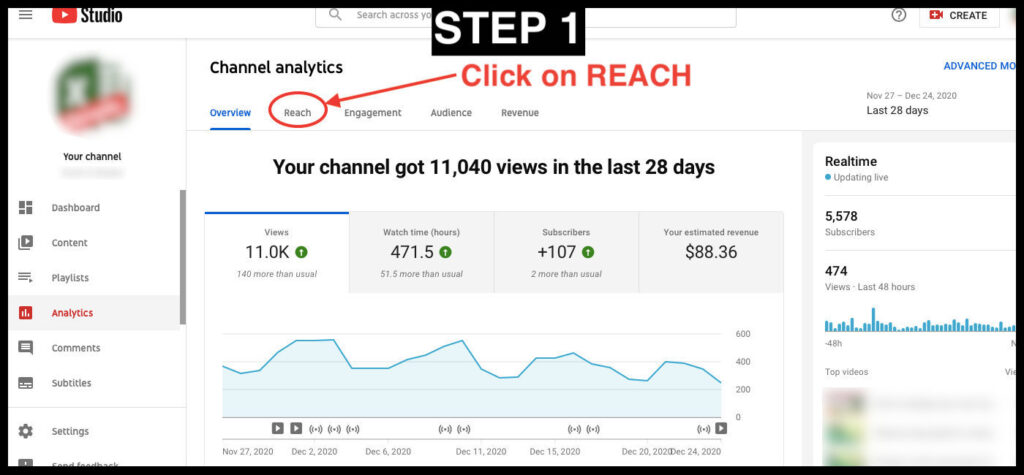
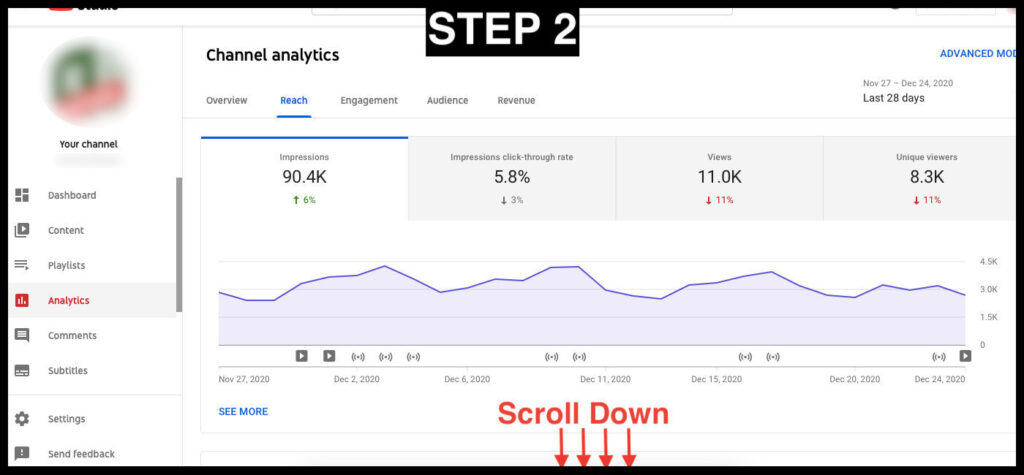
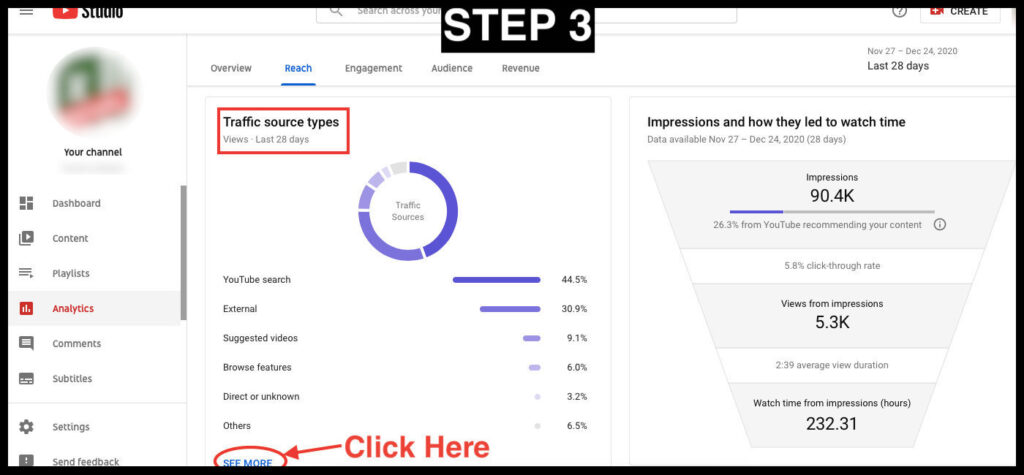
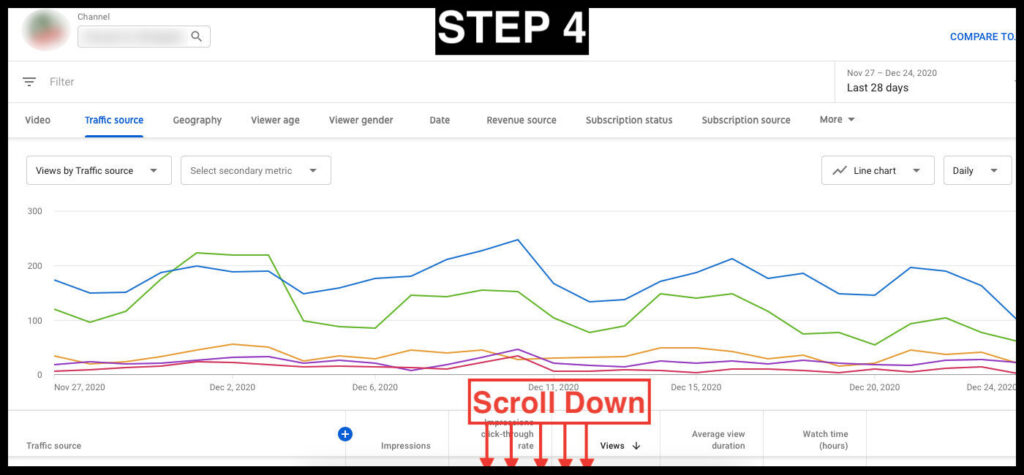
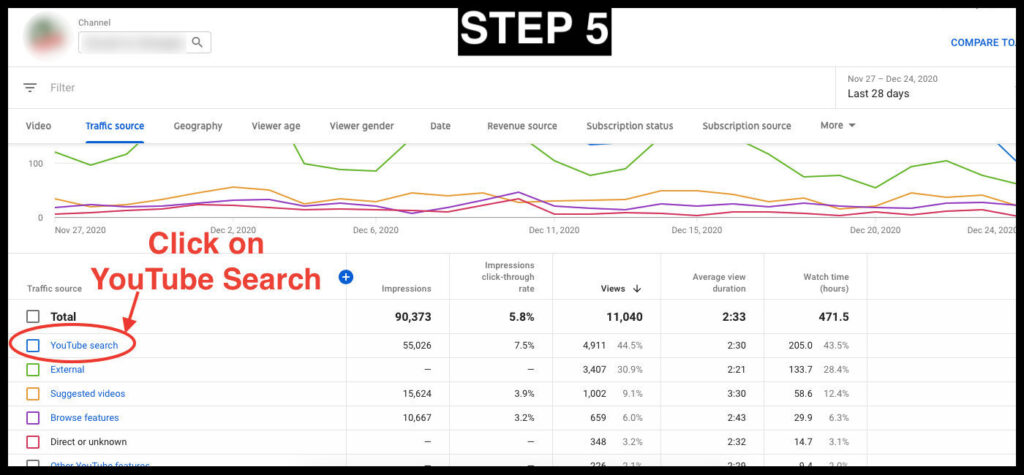
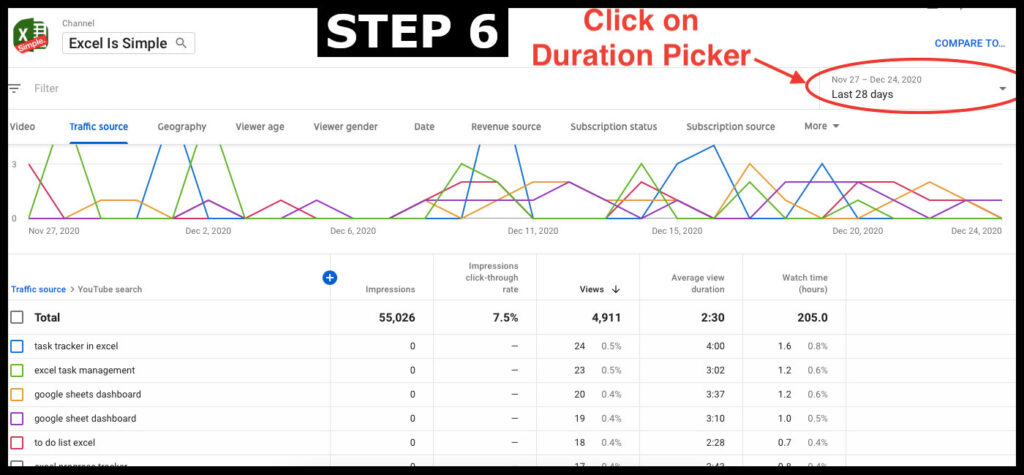
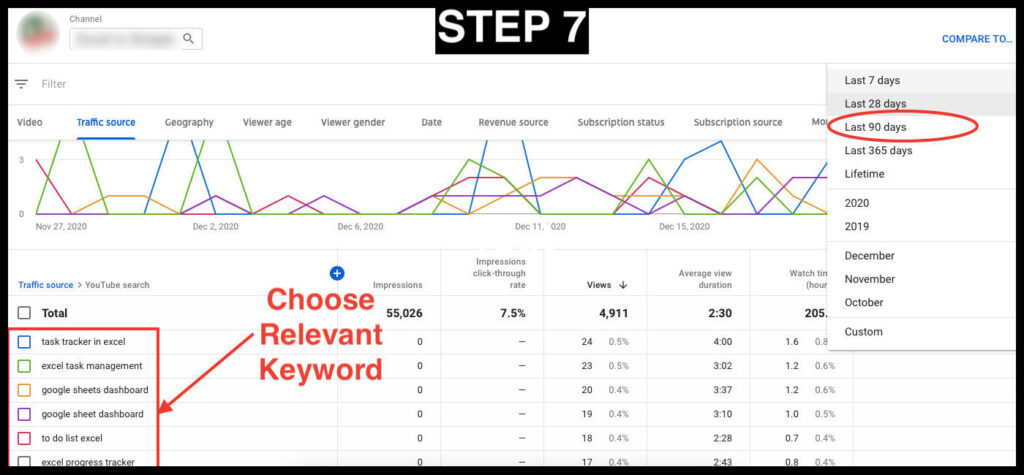
Your channel analytics is the best guide for your keywords. Go to YouTube analytics>>Reach>>Traffic Sources and click on ‘YouTube Search’ from the list. This shall open a new window and showcases the keywords that are best working for your channel along with the views and viewership share for each keyword. Make sure to select a period of a minimum of 90 days from the top right corner. The keywords that appear are the ones most relevant to your channel since these are the ones that people are using to discover your content. You can select all the keywords from here that are relevant to your content.
Steps to check Traffic Sources
4. Video Title
If your video title has a 3-4 word portion that makes sense independently as well; use it as a long-tail keyword for the video.
What to Avoid?
Blind Copy Paste
Believe me this won't help! A lot of people would simply use some add-on's to copy an existing high viewership video's keywords and blindly put them on their videos. Keyword-search is not the only factor for higher views. For established channels, subscribers and suggested videos bring much more viewership than search.
Duplicity
DONT add irrelevant keywords just because they are trending. You might end up getting a dislike from a viewer.
Don't Beef-up
AVOID keywords with multiple spellings and cases of various phrases. This will not help in any way and will rather eat away the limited keyword limit provided.
SUGGESTIONS:
Languages
Use other language keywords only when you are sure that people actually type and search keywords in those languages
Hashtag
You can add hashtags in your description section to save some space int he keywords.
Video Series
If you have a video series try to have consistency by using common keywords.
Scheduled Checks
After publishing the videos try checking your videos every 90 days. The search volumes and long-tails might change. That's why it is very important to keep a track of your keywords when you collate them. Make sure to add your notes to each keyword like research sources, search volume if any etc.
At True Vine Worx, we specialize in YouTube optimization without making any compromise on the content expression. Reach out to us at info@truevineworx.com to know more.